Importing URDFs
SuperDex CAD Exporter supports importing URDFs into both SolidWorks and Siemens NX. Both platforms can import the descriptions with an arbitrary coordinate frame as the world frame, and populate Coordinate Systems/CSYS representing the link/joint's local transforms. Axes/Datum Axes are also generated if joint axis are non-colinear with any of the CSYS's axes. All joint types and limits are also included. NX can also import .obj and .stl meshes as Convergent Bodies.
SolidWorks
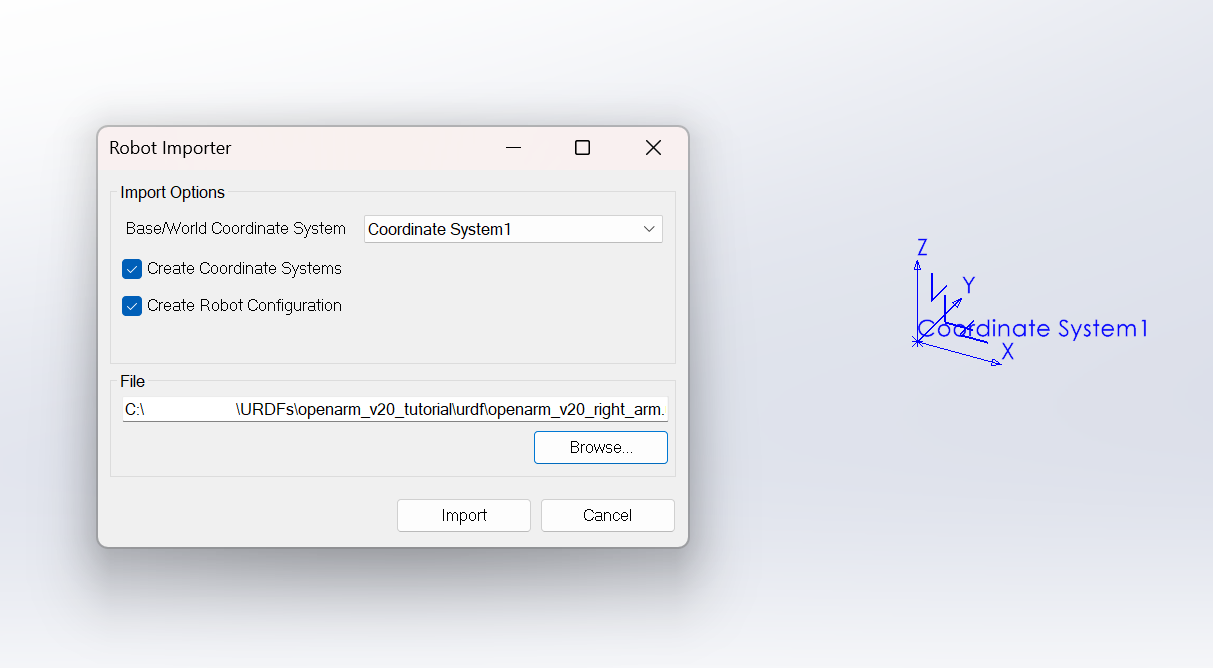
In any Assembly, from the Tools menu, click on Robotics -> Import URDF. This should open a form for entering the URDFs location and whether you want to include the coordinate systems or the Robot Configuration feature. You can also specify a top level Coordinate System for your URDFs world/base/root link.
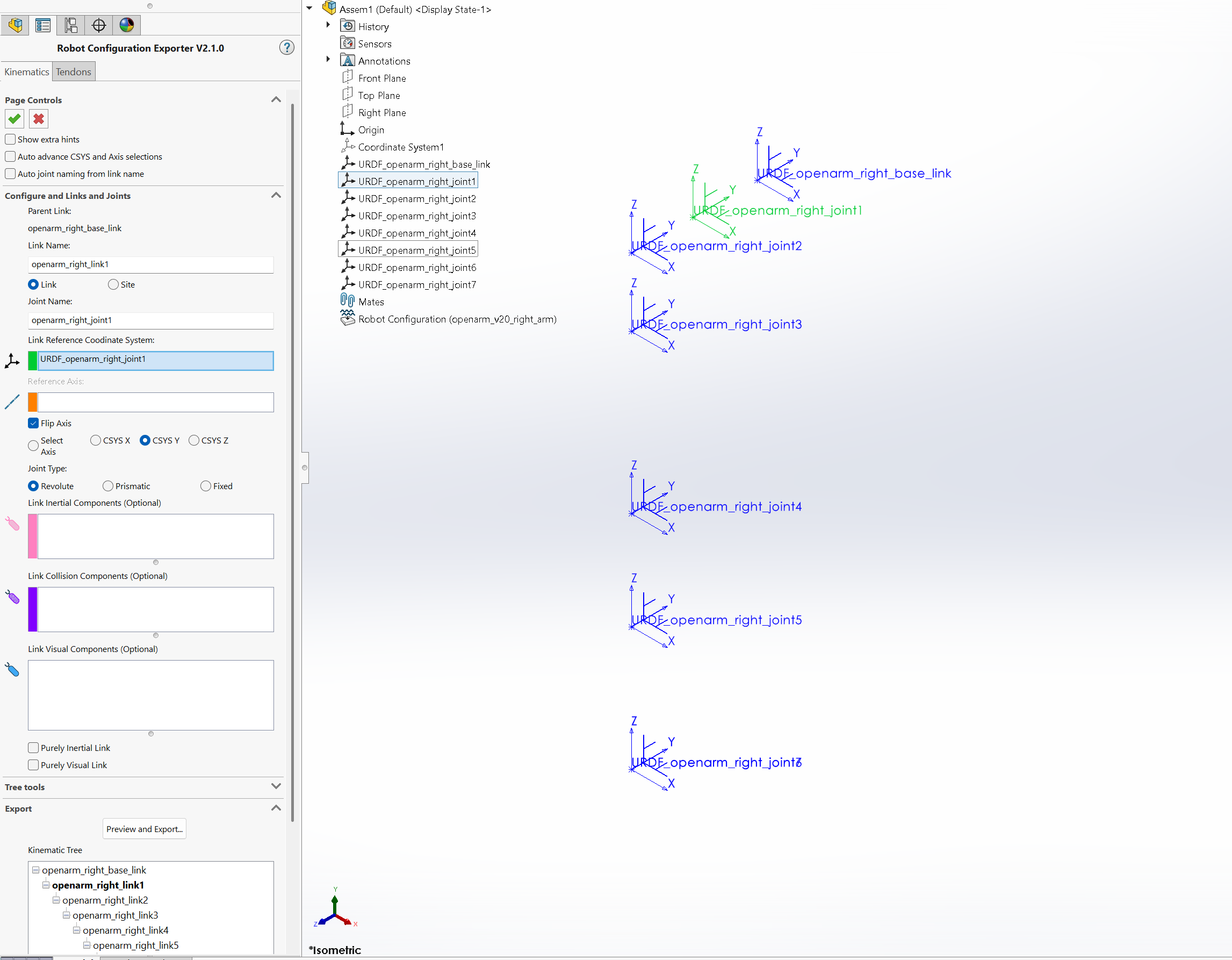
The imported Robot Configuration feature will have pre-selected Coordinate Systems and Axes, if imported.
Siemens NX
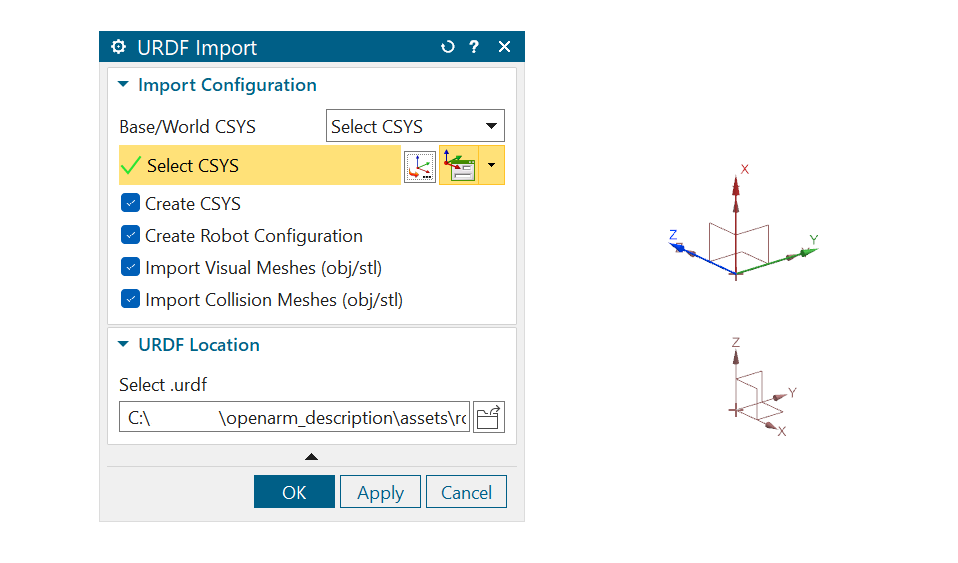
In any Part or Assembly, from the Robotics tab, click on Robot Exporter Tools -> Import URDF. This should open a dialog for selecting the URDFs location and whether you want to include the CSYS generation, the Robot Configuration feature, and to include visual and/or collision meshes or not. You can also specify a coordinate system for your URDFs world/base/root link.
The imported Robot Configuration feature will have pre-selected CSYS, Datum Axes, and visual/collision Convergent Bodies, if imported.
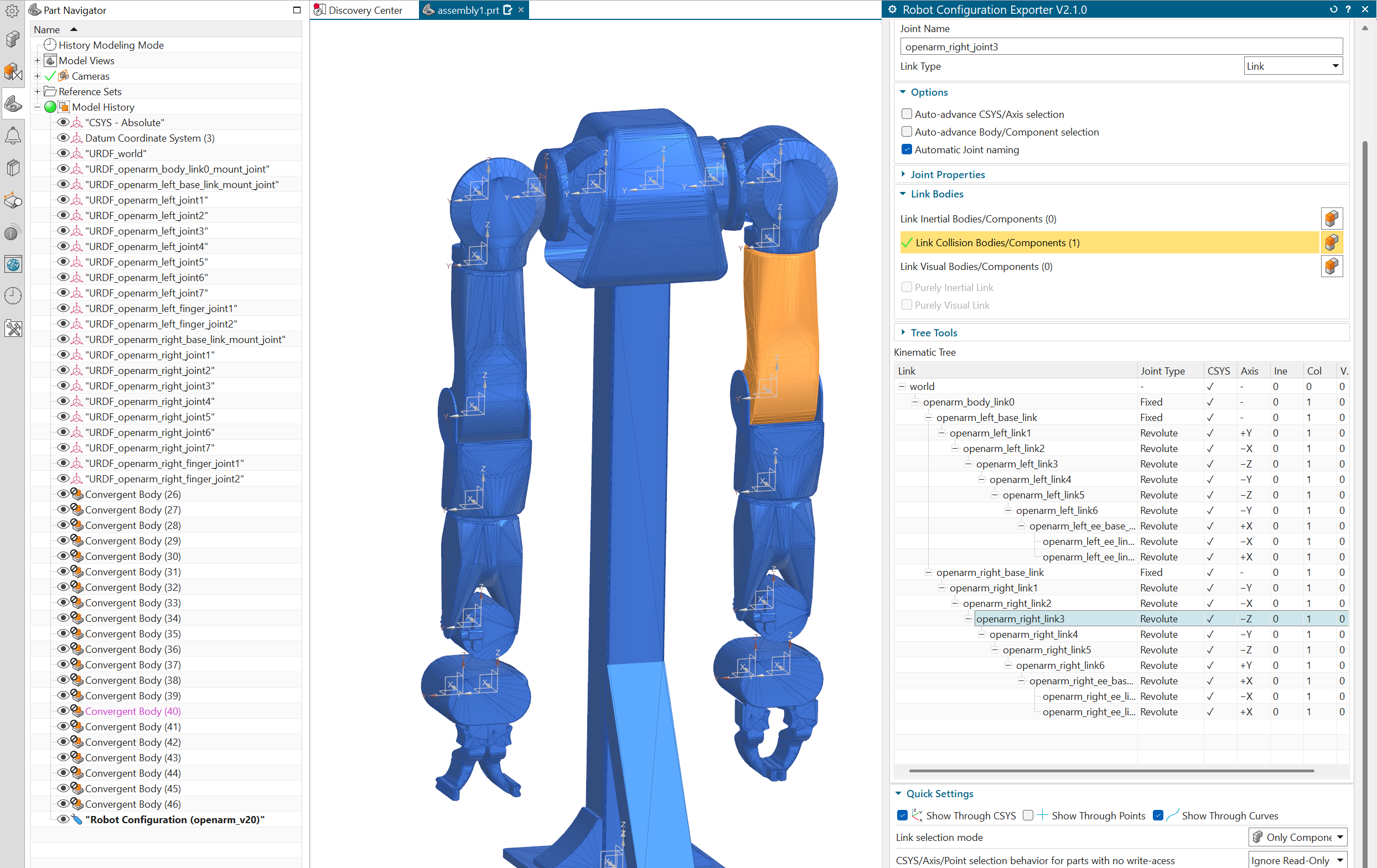
The exporter's URDF Import does not support negative or non-uniform scale, which is why some of the meshes in the example above have the wrong orientation.