Getting Started
This page covers installing SuperDex and building it from source. For a tour of the library and its concepts, see the Overview; to jump straight into worked examples, see the examples.
Quick Start
SuperDex Robotics can be installed as part of Project SuperDex. Follow the quick-start instructions (Python) or build it from source (C++, Python).
Example Code
Once installed, here is a minimal SuperDex Robotics Python script that loads a bot into a scene and steps the simulation:
import superdex.physics as physics
import superdex.robotics as robotics
from superdex.physics.paths import resolve_asset

physics.initialize(num_worker_threads=0)

scene = physics.create_scene("Quick Start")
scene.set_gravity([0, 0, -9.81])

# Load a bot and instantiate it in the scene.
bot_prefab = robotics.load_bot_prefab_from_file(
    str(resolve_asset("bots/arms/fr3/fr3.superdex_bot"))
)
bots_context = robotics.create_context()
bot = robotics.create_bot(scene, bot_prefab, bots_context)

for _ in range(120):
    scene.step(1.0 / 60.0)

robotics.destroy_bot(scene, bot)
physics.shutdown()
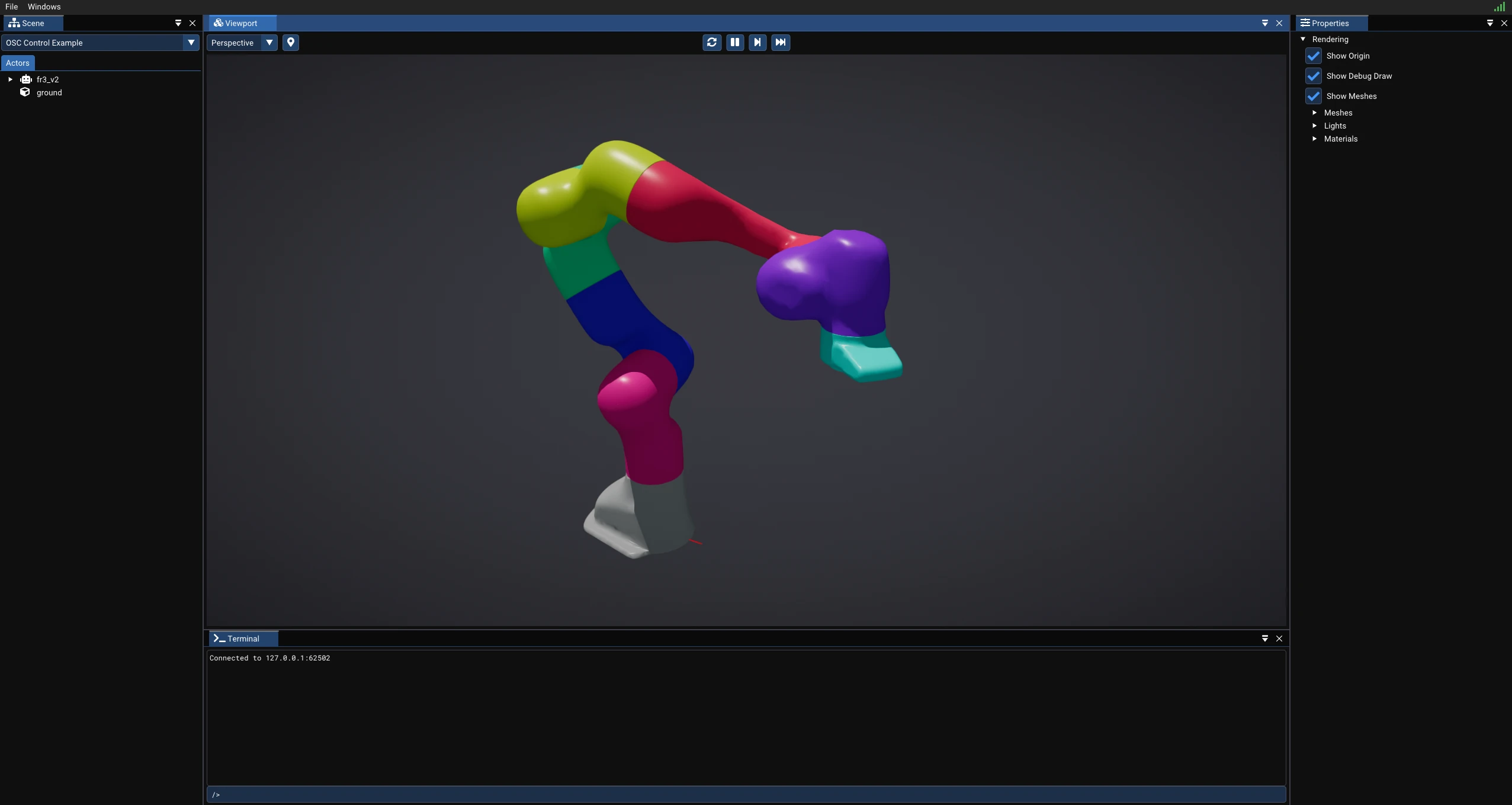
Running the OSC control example opens the SuperDex Physics debugger, where you can watch the bot simulate in real time:
Explore more SuperDex Robotics examples.